⭐ Why Use Our Image to Text Converter?
Modern digital workflows require tools that speed up productivity and reduce repetitive tasks. Our Image to Text Converter helps you:
Extract text from images instantly
Convert printed or handwritten text into editable text
Digitize documents and screenshots
Save time on manual transcription
Make content searchable and editable
Boost accessibility for visually impaired users
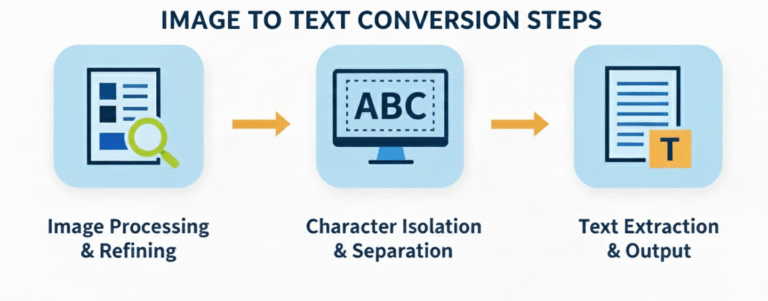
Powered by advanced OCR technology, the tool analyzes visual text patterns and transforms them into clean, digital text output. This means you can focus more on creating content and less on typing it.
🌍 Supported Features
Our tool key features include:
✨ Fast OCR Processing: Get results in seconds, even for large files.
✨ Multi‑Language Recognition: Extract text in English, Spanish, French, and many more.
✨ Handwriting & Print Support: Works on both handwritten notes and printed text.
✨ No Login Required: Use instantly with no account.
✨ Editable & Searchable Text: Output text can be copied, edited, or downloaded.
🧠 Who Can Benefit From This Tool?
- 👨🎓 Students & Educators: Transform lecture photos, textbook pages, notes, and whiteboard snapshots into editable text, perfect for study materials and research preparation.
- 📊 Business Professionals: Convert invoices, receipts, contracts, and paperwork into digital formats you can edit, archive, or analyze without retyping.
- 🧾 Researchers & Writers: Extract citations, text blocks, charts, and screenshots quickly so you can focus on analysis, not transcription.
- 📱 Social Media Users: Capture text from screenshots, memes, posts, and visual content, then reuse it in captions, posts, or blogs.
- 👩💻 Developers & Tech Teams: Integrate OCR workflows into your projects with clean, human‑readable text. Ideal for automated processes and document digitization.
⚡ Why OCR Is Essential
OCR (Optical Character Recognition) technology has become a core requirement in digital productivity and content workflows. Instead of manually typing content from images or PDFs, OCR tools accurately identify letters, words, and layout structures for automatic conversion. This saves time, increases data accessibility, and enables searchable, editable text formats.
From large business digitization to student research and accessibility projects, OCR tools like this help bridge the gap between images and actionable text.
🧩 Real‑World Use Cases
Here’s how solutions like an Image to Text Converter are used daily:
📌 Digitize printed books or flyers for editing
📌 Convert screenshots into editable text for projects
📌 Extract contact info from business card photos
📌 Translate text from images for multilingual workflows
📌 Create accessible content for hearing‑impaired or visually impaired users
This tool makes it easy to transform visual content into information that’s searchable, editable, and reusable, giving you full control over your content.